
Submission of manuscripts:
Submissions must follow these instructions. Submissions not following these instructions will be returned with a brief explanation.
Submissions must include a transmittal letter, a manuscript, and a transfer of copyright. Most submissions will also include figures and/or tables. Some manuscripts may require a letter from a publisher granting permission to republish previously published data. The corresponding author should collect all materials for the submission and then transmit them to Molecular Vision. All communications from the authors to the Editors should be handled by the corresponding author.
Each part of a manuscript (text, figures, and tables) must be submitted in a separate file. It is unacceptable to embed figures or tables in the text of a manuscript. Use the last name of the first author to name files. Table 1 shows how an author named "Smith," submitting a manuscript with two figures and one table, would name the files. Do not use abbreviations for "Molecular Vision" to name your files (e.g., do not name a figure "mv-figure-1.tif").
Table 1. File naming for author "Smith"
|
|
|
|
|
|
|
for Figure 1 |
|
|
for Figure 1 |
|
|
|
|
|
|
|
Transmittal Letter
This letter should detail all relevant elements of the submission. The title and authorship of the manuscript and the corresponding author should be clearly identified; contact information for the corresponding author must be given. Each element of the submission should be listed with an annotation of how that element of the manuscript will be submitted. The names of the files should also be given. It is very helpful to indicate how the files were prepared (type of computer, software, and format). The authors may suggest potential reviewers for their manuscript. Authors may request that particular individuals be excluded from the pool of potential reviewers by briefly indicating how those persons would have a conflict of interest.
Transfer of Copyright
Each author should read and sign the "Transfer of Copyright" agreement. Authors who prepared a manuscript as part of their official duties as employees of the US federal government should read and sign the "US Government Employee Statement" instead. These forms can be printed from your web browser or the text may be downloaded and printed. The signed forms must be mailed or FAXed to Molecular Vision. To be valid, a transfer of copyright must be in writing, signed, and dated. The authors may choose to sign a common copy of the Transfer of Copyright, sign separate copies of the Transfer of Copyright, or some combination thereof. The corresponding author does not need to collect Transfers of Copyright; each author may mail or FAX their own Transfer of Copyright to the Editors.
FAX numbers
Preferred: (404) 778-2231
Alternate: (404) 778-4143
Submitting Digital Text
The digital version of manuscripts should be submitted as plain text (.txt). All word processors allow for documents to be saved as plain text. Note that this causes loss of character formatting such as superscripting, subscripting, italics, and embolding. Use the "Special Formatting" instructions (see below) for details on how to preserve some types of formatting. Authors are free to submit a hard copy version of a manuscript with the digital version.
If your manuscript requires formatting, you may submit your manuscripts in Rich Text Format (.rtf), Word Format (.doc), or HTML (.htm or .html). The Editors will endeavor to work from submissions in these formats whenever possible, but we have found that some files in these formats are not readable. If we can not read your submission, we will request that the manuscript be resubmitted in a different format. Also, if you submit your manuscript in Rich Text Format or Word Format, it potentially will take longer for the Editors to process.
Before you decide that your manuscripts requires formatting, remember that articles will be published in the Molecular Vision style; in our experience, the vast majority of author supplied formatting is not preserved when a manuscript is published. Even if you submit your manuscript as Rich Text Format or Word Format, Molecular Vision prefers that you use the Special Formatting Instructions (see below) wherever applicable.
Special Formatting
Special formatting applies anything that can not be represented as a sequence of ASCII (ISO-Latin-1) characters. This includes non-ASCII characters (e.g., Greek letters, accents) and text styles (italics, superscripts, subscripts). If a manuscript requires any of these, the author should use our Special Formatting Instructions. The Editors have software that properly converts our special formatting to the Molecular Vision style. Use of the Special Formatting Instructions can greatly speed the processing of your manuscript.
Submitting Digital Figures
Figures submitted in Microsoft PowerPoint format are unacceptable. Manuscripts submitted with Microsoft PowerPoint figures will be considered incomplete until the figures are supplied in an acceptable format.
Acceptable formats for submitting digital images are: TIFF (.tif), Photoshop (.psd), Illustrator (.il7, .il8, or .il9), Postscript (.ps), and Encapsulated Postscript (.eps). Authors submitting images in formats other than these will be asked to resubmit the image in one of these formats. Submitting images in a format other than the ones listed will slow the processing of your manuscript and may result in a degradation of the quality of the image. The remainder of this section is advice on how to choose the most appropriate format for your images and how to help the Editors produce the best possible images for your manuscript.
For the purposes of submission, we distinguish two types of digital images: presentation graphics (drawings, charts, diagrams, schematics) created de novo on the computer and bitmap graphics (gels, photographs, micrographs). Examples of these types of images are shown below:
|
|
|
|
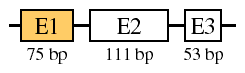 |
 from Figure 4B of Mol Vis 1997; 3:15. |
Acceptable presentation formats are Postscript (.ps), Encapsulated Postscript (.eps), and Adobe Illustrator (.il7, .il8, or .il9). When preparing diagrams and charts, remember that your artwork will mostly be viewed on computer monitors; many readers will have difficulty with images wider than 500 pixels (screen dots).
Bitmaps should be submitted without compression and at a resolution of at least 144 dots per inch (if the data were collected to that resolution). Bitmap figures should be submitted without markings (arrows, labels, etc.). A lower resolution image should accompany the figure showing how the figure should be marked or labelled. Acceptable bitmap formats are TIFF (uncompressed) and Photoshop. For everyone's convenience, it is strongly recommended that you crop images to eliminate extraneous white space. If you submit images in Photoshop format, you may create additional layers to mark the images (do not flatten the images). When preparing bitmaps, remember that they will mostly be viewed on computer monitors; many readers will have difficulty with images wider than 500 pixels (screen dots).
Animation and Video (movies) should be submitted as a series of frames (TIFF). If you submit a quicktime movie, we strongly recommend that you keep the frames because editing compressed movies can cause severe degradation of quality. If you submit a series of frames, they should be numbered sequentially and all be of the same size. Each frame will be assumed to get equal display time unless otherwise noted.
Movies need to tread the line between being small enough in size for readers to download in a reasonable time and showing enough detail to make the movie a useful part of the report. When submitting a movie, you should also include an appropriate frame or set of frames to display to readers unable to view movies (these frames will also be used in the PDF version of articles).
Table 2 summarizes the formats that may be used for submitting figures digitally. For other types of figures (including sound and other data formats), the Editors should be consulted before preparing the figure.
Table 2. Acceptable formats for figures
|
|
|
|
|
Illustrator (.il7, .il8, or .il9), Postscript (.ps), or Encapsulated Postscript (.eps) |
|
|
TIFF (.tif) or Photoshop (.psd) |
|
|
TIFF (.tif) frames |
|
|
Consult the Editors before preparing other types of figures |
To reduce the size of graphic files, they may be compressed using Stuffit (.sit), Zip (.zip), or gzip (.gz). Please add the appropriate suffix to the file's name when you compress it.
Hypertext links
Molecular Vision does not consider hypertext links that point to locations external to the journal to be part of an article. During the galley process, the Editors will automatically add hypertext links to all GenBank accession numbers and to all references listed in PubMed. The Editors welcome the inclusion of other hypertext links with submissions. Hypertext links will be maintained in published articles, but if the target of a link disappears, the link will be removed.
When choosing hypertext links to submit, keep in mind that many web locations have a short lifetime by design. It is usually better to submit a link to a company that supplies a product described in the Methods section, than a link to the product itself. Since the hypertext link is not part of the manuscript, it can not serve to answer questions that should be covered in the text.
When mentioning gene or protein sequences, the Editors ask that they be named with GenBank numbers whenever possible. The Editors are committed to maintaining links to GenBank accession numbers as long as NCBI continues to make them available on the internet.
Sending your Submission
Files may be emailed to <molvis@emory.edu> using one of the following methods:
3.5" disks (Mac, DOS/Win format) and/or "Zip" cartridges (Mac, DOS/Win, OS/2 format) may be mailed to:
Molecular Vision
c/o Jeffrey H. Boatright, Ph.D.
Lab B-5500, Emory Eye Center
1327 Clifton Road, N.E.
Atlanta, GA 30322
For information on the review and publishing process, see Publishing with Molecular Vision.